

Logify
Automatic mileage tracking, private until it's shared
Trips are tracked automatically to each user's own private log — nothing reaches the company dashboard until they share a validated report. The administrator configures the vehicles, trip rules, data groups, and review process, from a single freelancer to a hundred-person org.
mileage tracker, GPS mileage log, automatic mileage tracking, business miles, tax deduction mileage, driving logbook, mileage app, expense reimbursement, logbook app, trip tracker
No credit card required
One system. Multiple views.
Every user gets exactly the view their role needs — as many roles and data groups can be created as the structure requires.
Works fully standalone, too
- Use just the mobile app — log trips, tag categories, and export straight to Excel, no web account required.
- Optionally connect to a web account for easier downloads — and if more team members join later, turn the account into a company account or connect it to a central account, without losing data.
Enforce clean data at the source
- Define accepted vehicles, trip types, and purpose requirements once, and structure access to match your organization.
- Every report is validated against those rules before it reaches the dashboard — confirmation review can be turned off if you don't need it.
Private by default, always the team member's call
- Mark each trip as private or business, add the trip type and purpose, and generate a report on your own time.
- Only what you explicitly share becomes visible to the organization — scoped to your team.
Scoped access, as light or strict as required
- You only see and act within the data groups assigned to you — confirm, export, or both.
- Review shared reports before export (or skip straight to export when confirmation isn't required), then export confirmed data for payroll — no manual reconciliation.
Rules are set once. Team members drive. Only what's shared becomes visible.
Logify's structure follows the organization — not the other way around.
Admin sets the rules
- Accepted vehicles, trip types, categories, and required trip purposes.
- Data groups (departments) with their assigned controllers and finance staff — for confirming, exporting, or both; confirmation can be turned off if you don't need it.
Team members drive, categorize, and share
- Every trip is tracked automatically to the team member's own private log via the mobile app, and categorized as private or business with trip type and purpose.
- Reports are validated against the administrator's rules before they can be shared — only conformant reports go through.
The org reviews and exports — nothing more
- If confirmation is required, the assigned controller for that data group reviews and confirms.
- The assigned finance contact exports confirmed (or directly shared) reports for payroll.
- Access always stays scoped to data group and activity — smaller orgs can skip straight to export.
Built to be private by default — not just written in a policy
These aren't promises — they're how the system is built.
Private by default — user-initiated sharing
Every trip is recorded to the user's own private log first and stays invisible to the organization until the user generates and shares a report. There's no background sync to an admin view.
Scoped, role-based access
Controllers and finance staff only see the data groups and activities they're explicitly assigned — never the whole org by default.
Validated at share time
Reports are checked against the organization's configured rules before they can be shared, so only conformant data reaches reviewers.
Mobile GPS tracking app
The same automatic tracking, tuned to how each user actually drives.
Automatic recording
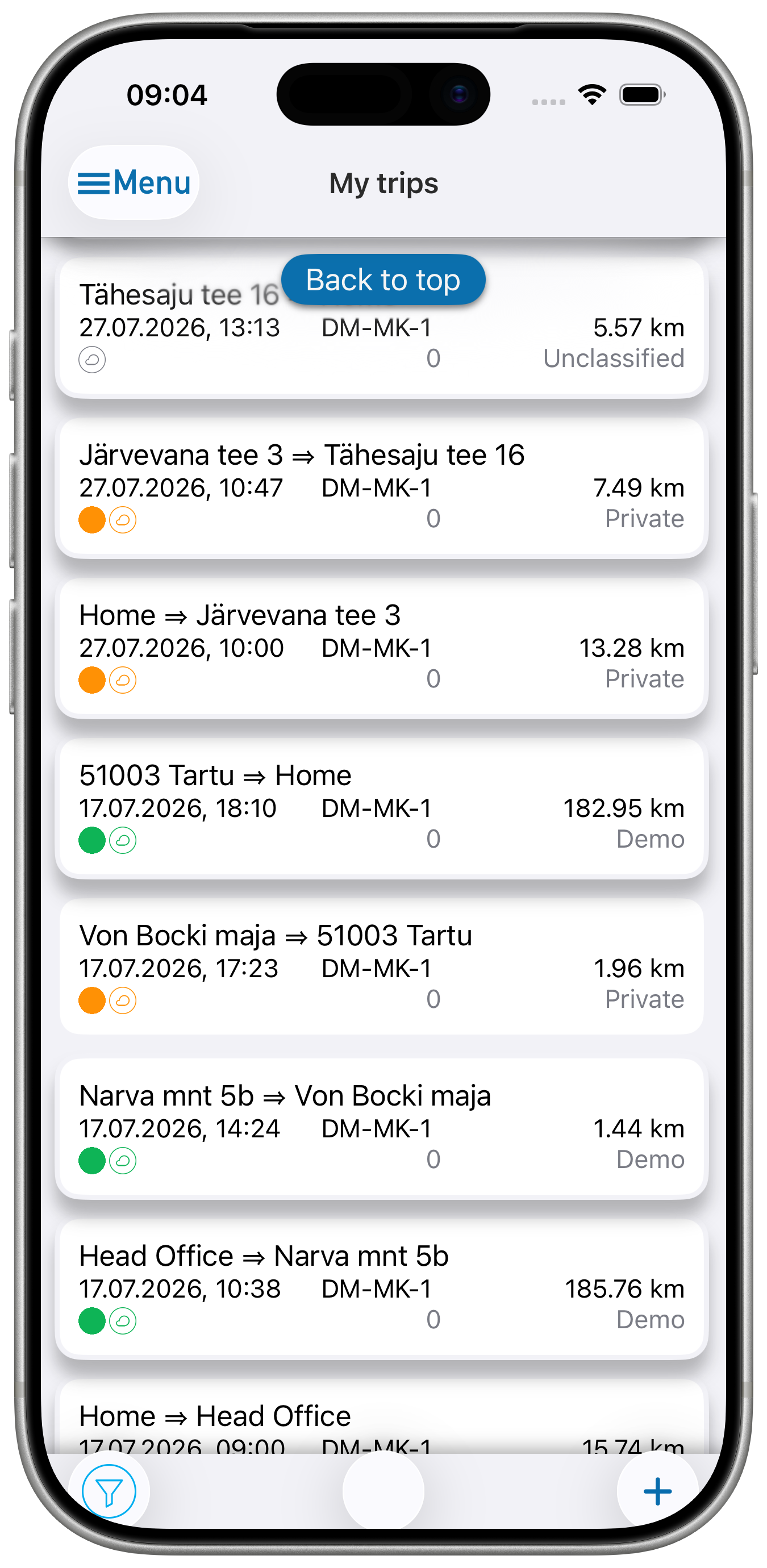
Starts and stops itself using Bluetooth, beacon, or motion detection — no manual start or stop required.
Multiple vehicles
Pair as many vehicles as needed; Logify recognizes which one is moving and logs the trip against it automatically.
Odometer entry
Odometer readings can be entered anytime, with configurable reminders — daily, weekly, or monthly. If only work trips are recorded and the report requires a start/end odometer reading, it needs to be entered for each trip.
Detail without the busywork
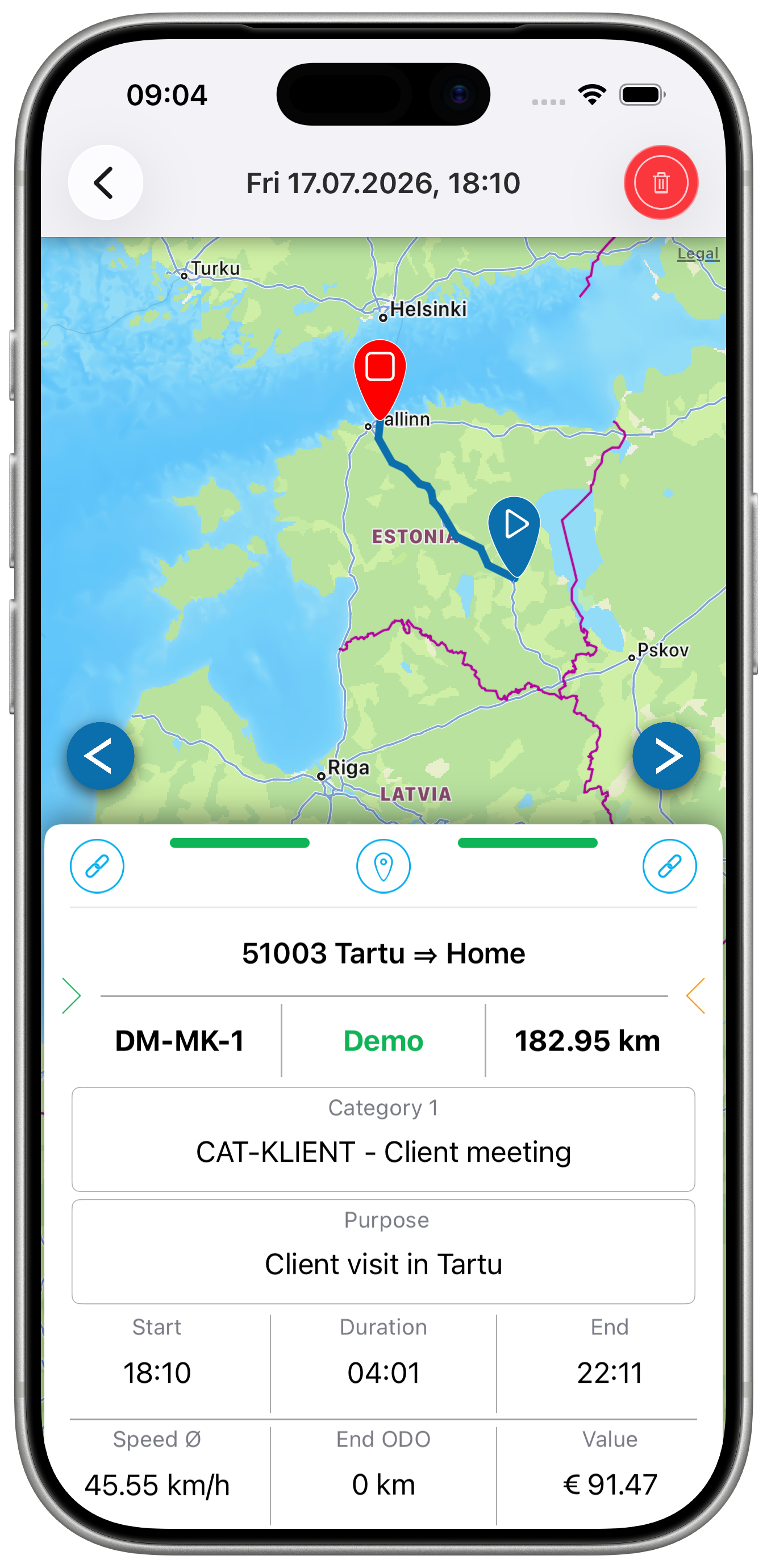
Start and end addresses are detected automatically. Add trip type, purpose, and notes manually or from saved locations.
Split a trip in two
Separate a personal stop from a business drive without re-recording anything — split any tracked trip into two with a tap.


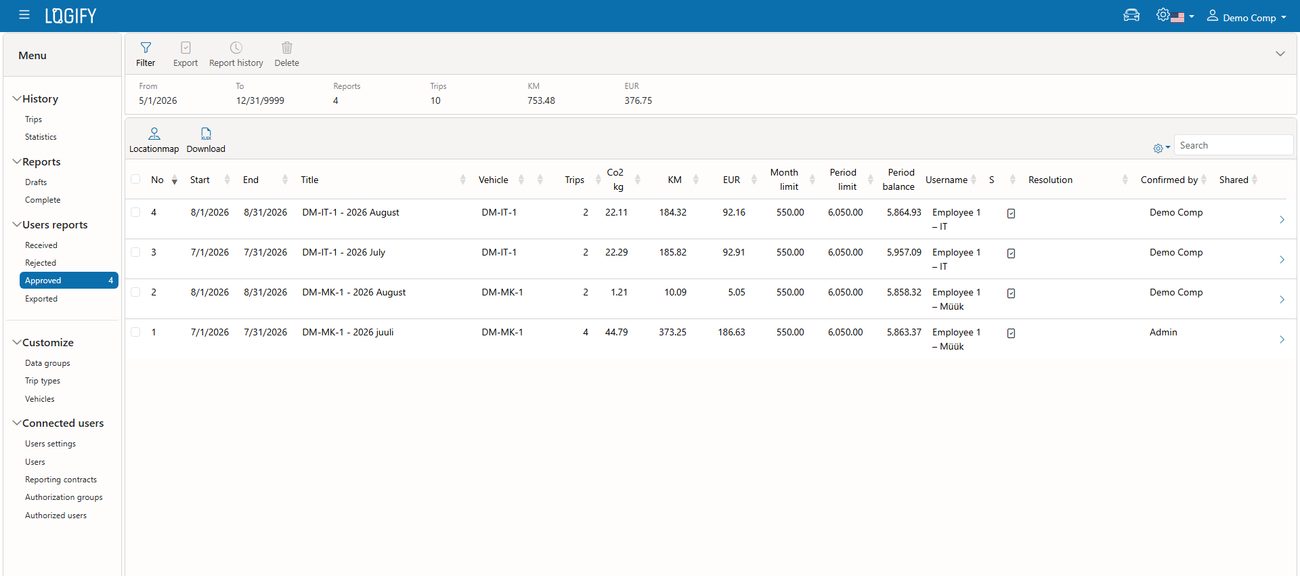
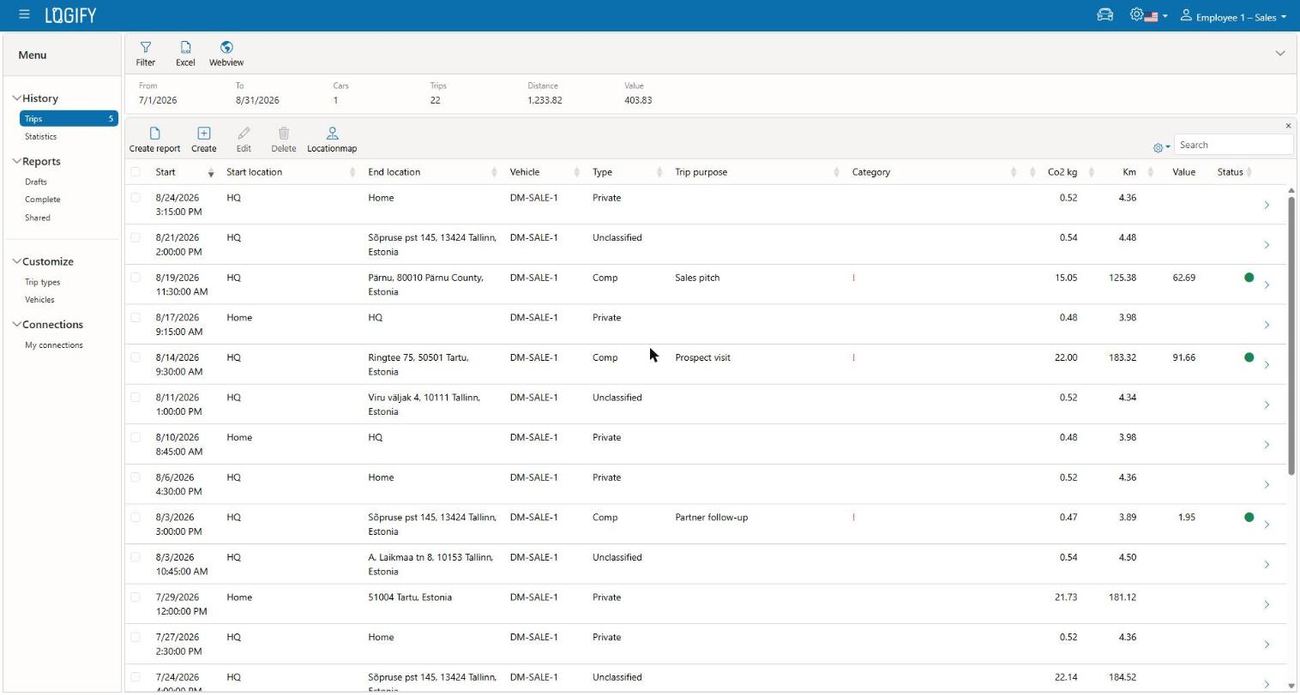
Driving log in the web
Everything the team shares, organized for easy review — and every report's opening odometer reading carries forward automatically from the last one, no manual calculation needed.
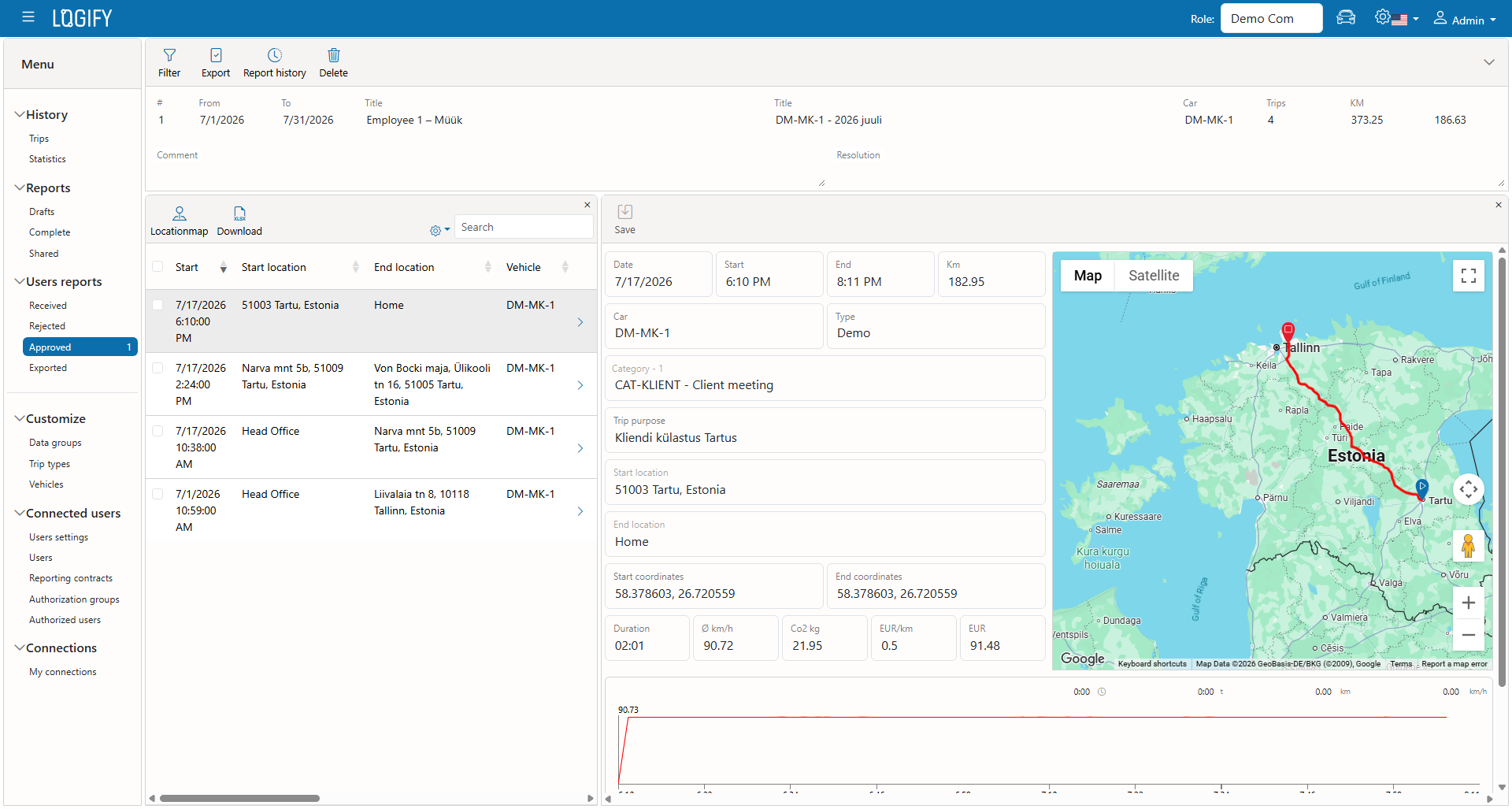
Example view — actual numbers depend on the team's trips.
How much the service costs?
Every plan starts free, no credit card required.
- App recording only
- No web upload
- No calendar connection
- No reports export and sharing
- Automatic web upload
- Calendar connection
- Reports export and sharing
- Automatic web upload
- Calendar connection
- Reports export and sharing
- Free LE Beacon coupon on 1st year
• Shown prices are valid for subscriptions made through the Logify web service. Mobile apps have subscription possibility also through Apple App Store or Google Play Store. The mobile subscription prices may vary a bit based on country and currency!
| Free | Premium | |
|---|---|---|
| Mobile app | ||
| Automatic trip recording | ||
| Manual upload | ||
| Automatic upload | ||
| Calendar connection | ||
| Trips split and join | ||
| Manual trip creation | ||
| Triplist export to Excel | ||
| Web service | ||
| Trips history | ||
| Trips filtering | ||
| Trip vehicle, type, purpose and notes change | ||
| Trips deletion | ||
| Triplist export to Excel | ||
| Triplist webview | ||
| Draft report creation | ||
| Draft reports | ||
| Trip length, type, purpose and notes change | ||
| Uploaded trips addition to draft report | ||
| Manual trips creation | ||
| Trips deletion | ||
| Draft report deletion | ||
| Draft report completion | ||
| Draft report export to Excel | ||
| Draft report webview | ||
| Completed reports | ||
| Completed report revert to draft | ||
| Completed report export to Excel | ||
| Completed report webview | ||
| Completed report sharing | ||
See it running with the organization's structure
Request a 20-minute walkthrough scoped to how the team actually works — or start tracking free today, no credit card required.
No credit card required